Working with tickets
Take an unassigned ticket
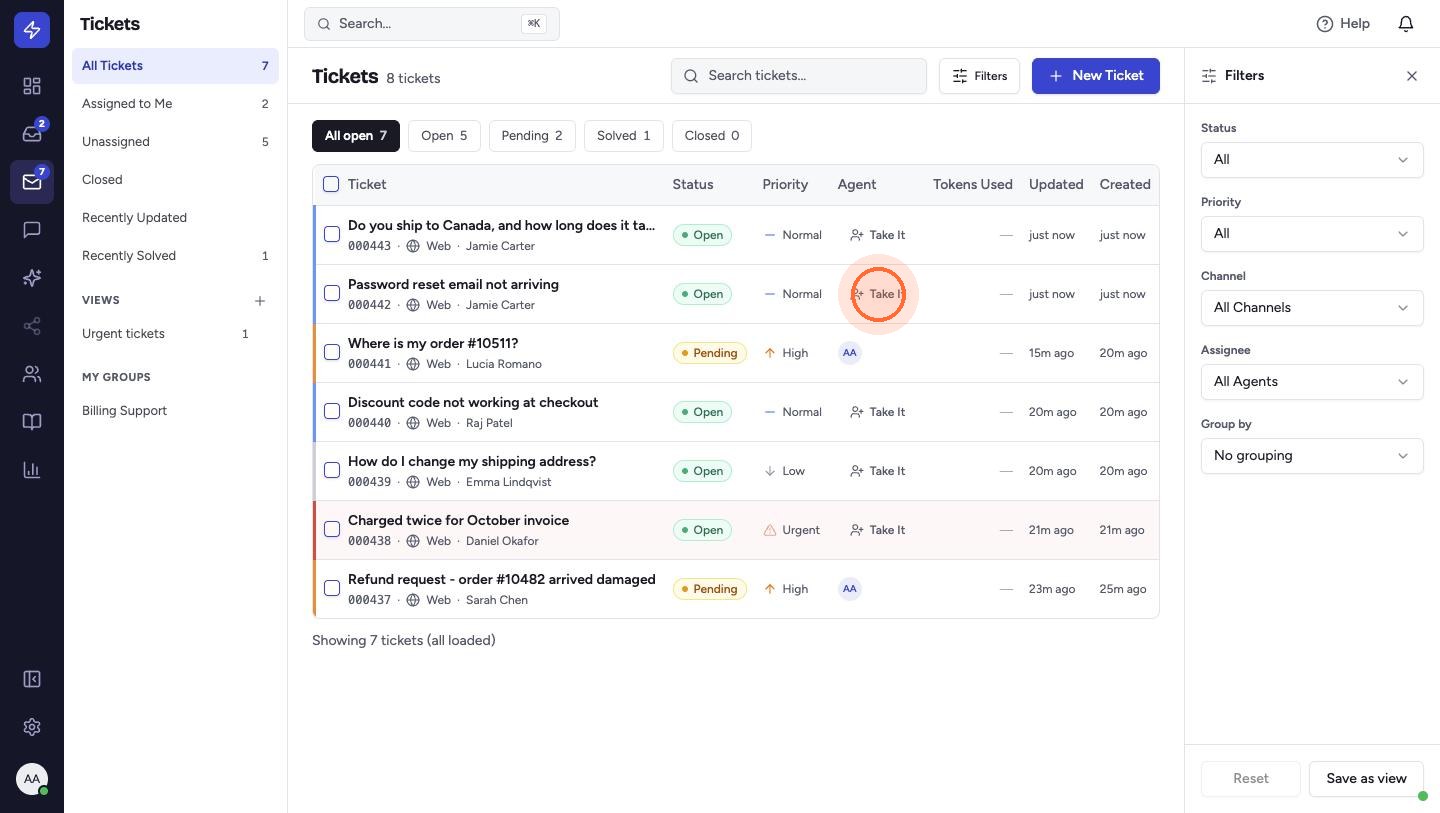
In the ticket list, unassigned tickets show Take It in the Agent column.
- Click Take It. The ticket is assigned to you and your initials appear in the Agent column.
- Click the ticket to open it and start working.
To see only tickets nobody owns yet, click Unassigned in the Tickets sidebar. Assigned to Me lists the tickets you own.
 Watch the video guideReply with a canned response and solveAbout 3 minutes · 9 steps