Finding tickets and reports
Filter the ticket list and save a view
Filter
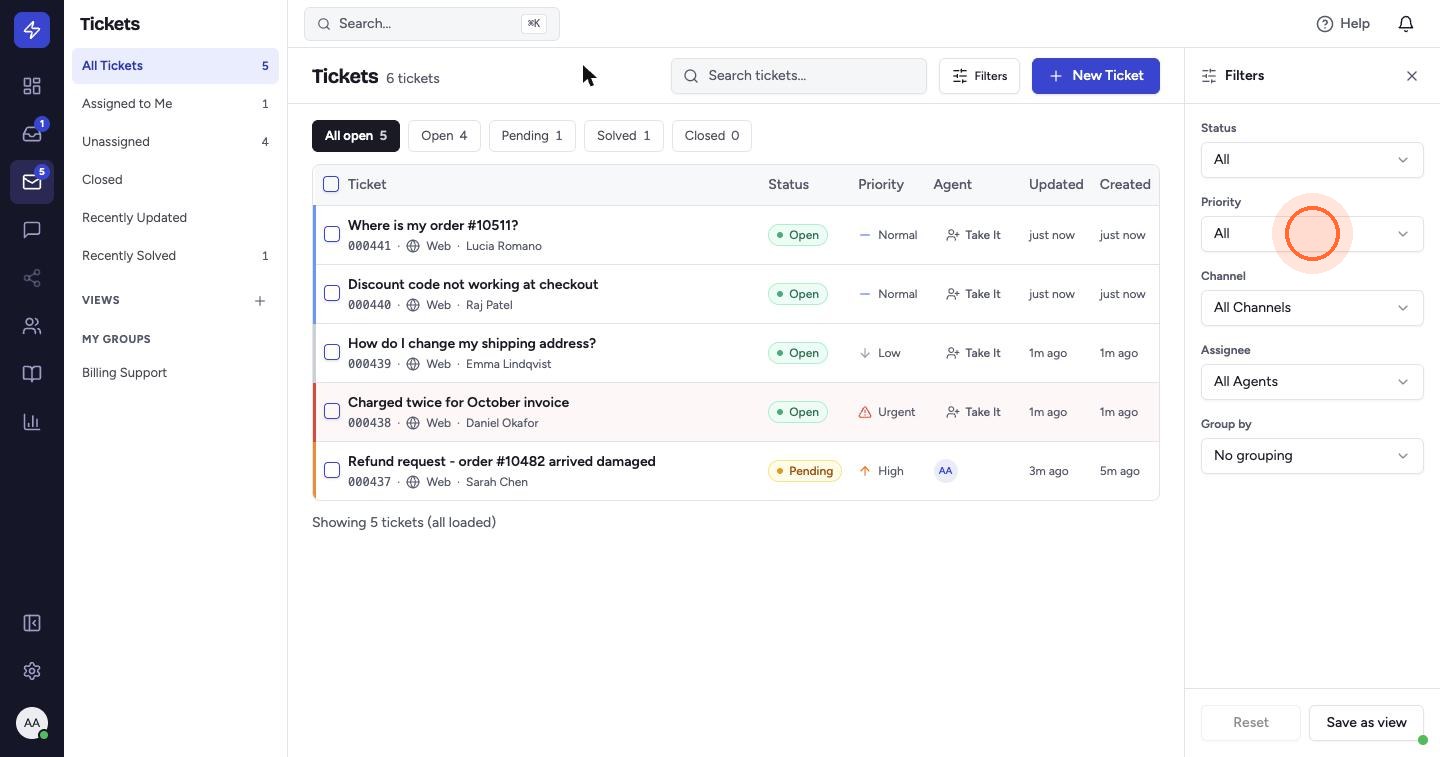
- Open Tickets. The tabs above the list filter by status.
- Use the Filters panel on the right to filter by Status, Priority, SLA, Channel and Assignee. The Filters button shows how many filters are active.
- Use Group by to organise the list by Status, Priority, Assignee or Contact.
- Click Reset at the bottom of the panel to clear the filters.
Save a view
- Click Save as view.
- Enter a Name and set the view's Status, Priority, Assignee, Source inbox, Tag and Sort by.
- Tick Share with the whole team to give everyone the view. Otherwise it's private to you.
- Click Create view.
The view appears in the Tickets sidebar under Views with a live ticket count.
 Watch the video guideFind tickets and read reportsAbout 5 minutes · 13 steps